
Reliance Foundation Conference App _BFF_ECCE
Topic outline
-
-
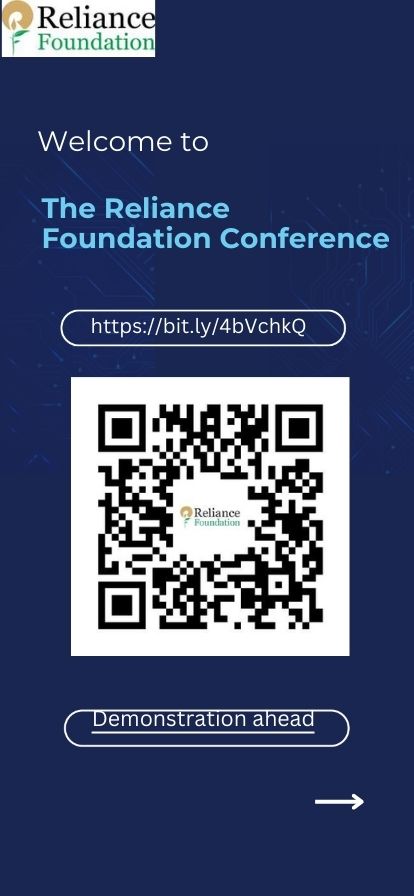
Scan the QR for more Information.
-
-
-
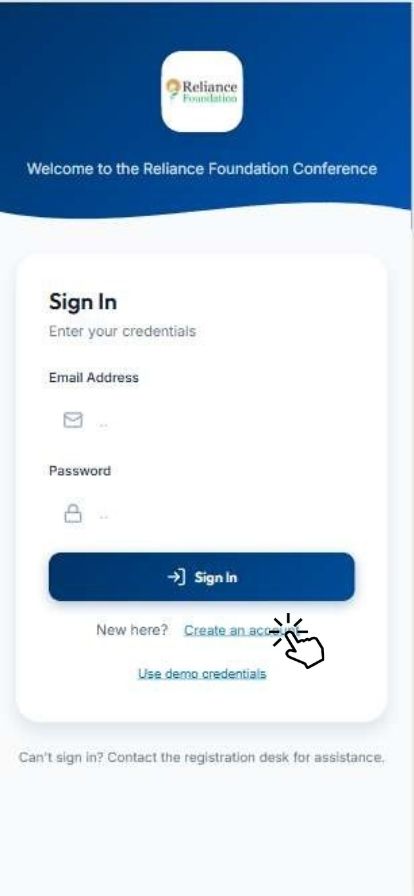
Create Your Conference Account by Clicking " Create an Account"
-
-
-
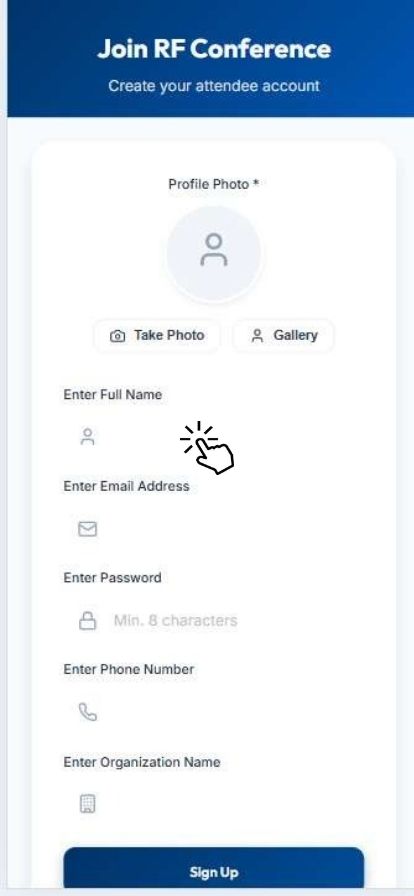
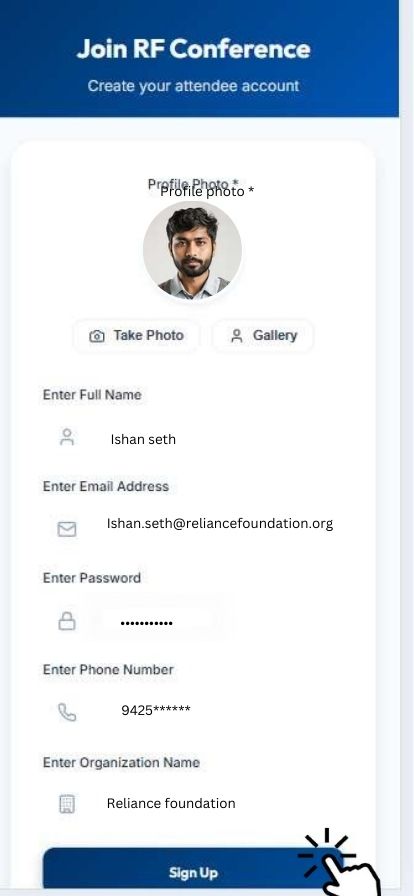
Join RF Conference II Create your Attendee Account II Enter Your Full Name
-
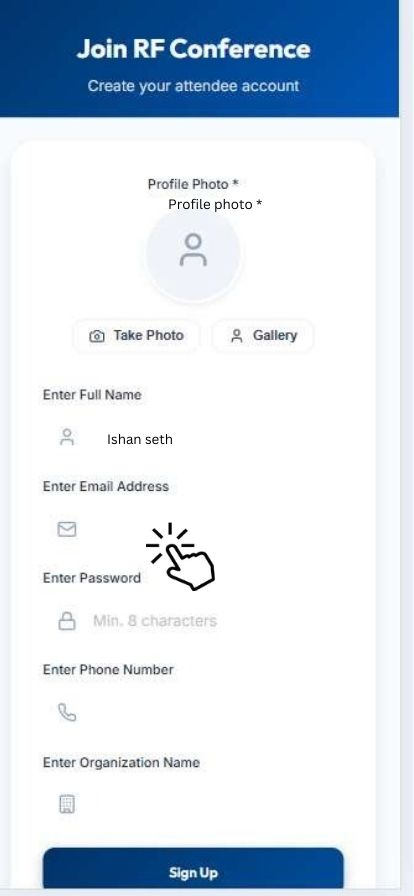
Enter Your Valid Mail ID
-
Enter Your Password "Case Sensitive"
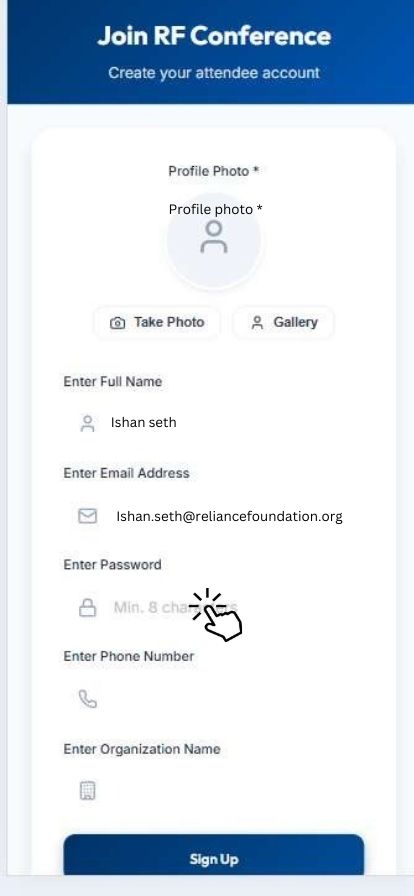
-
Enter Your 10 Digit Valid Mobile Number
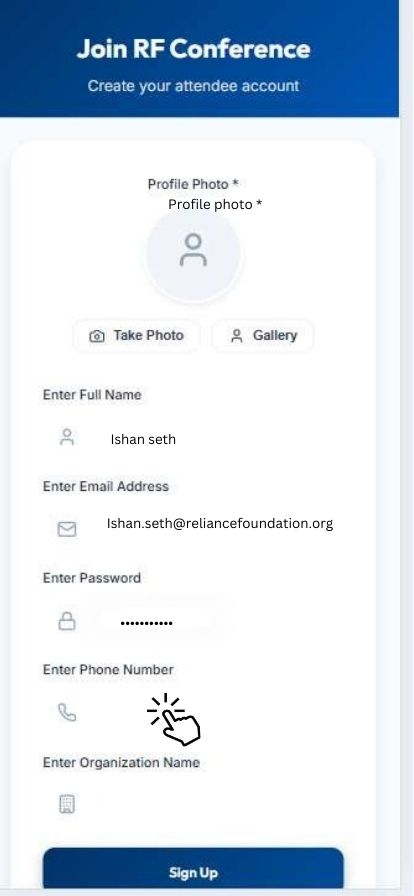
-
Enter Your Organization Name "Kindly Enter Full name of Your Organization"
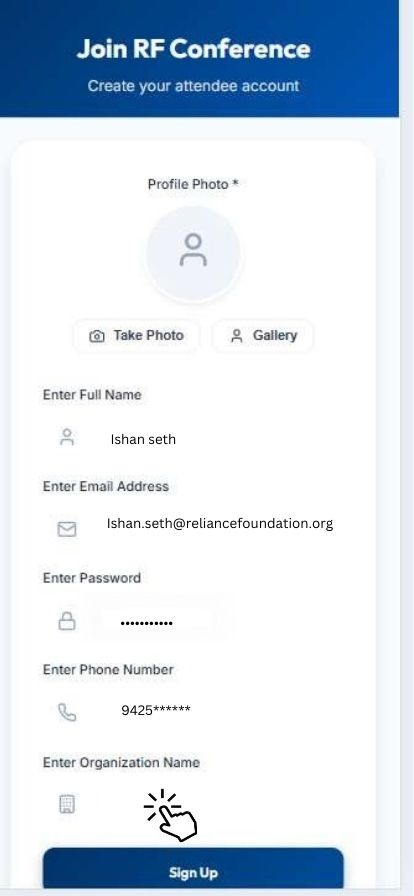
-
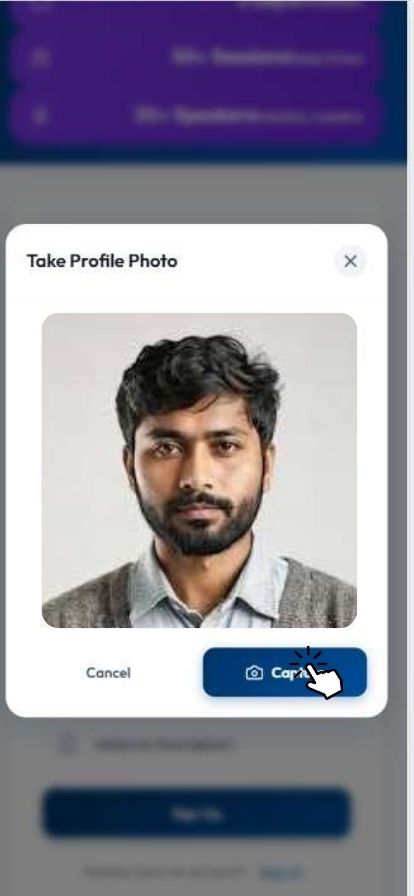
Insert Your Valid Photo as per Your ID Proof
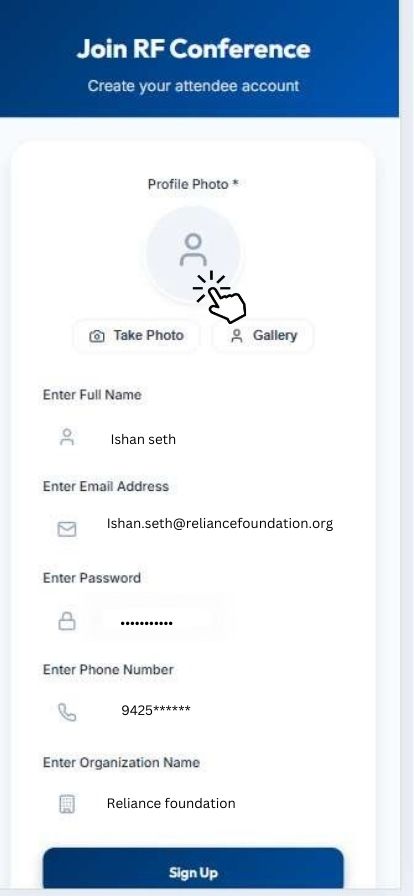
-
-
Your Account is Ready for Signup "Click on Signup Button"
-
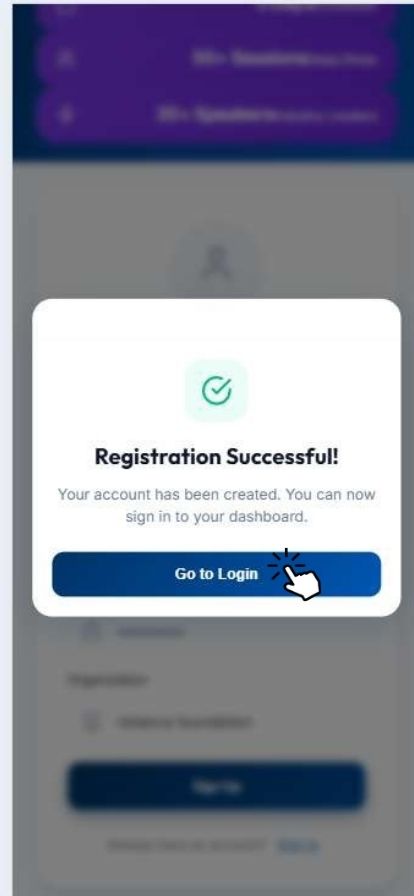
"Registration Successful"
-
-
-
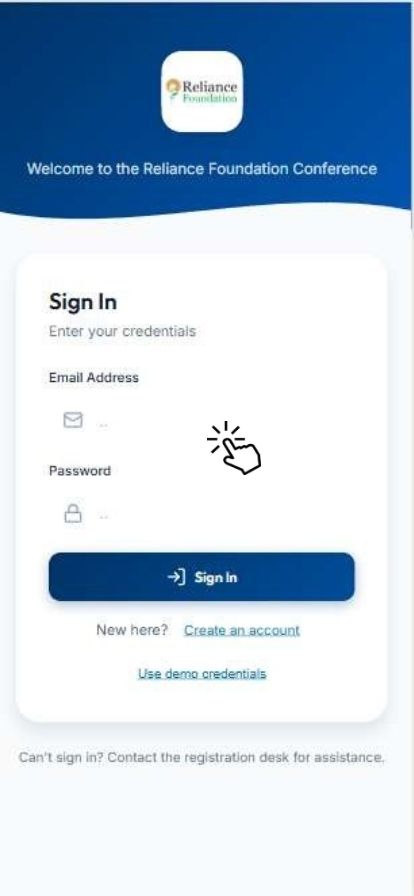
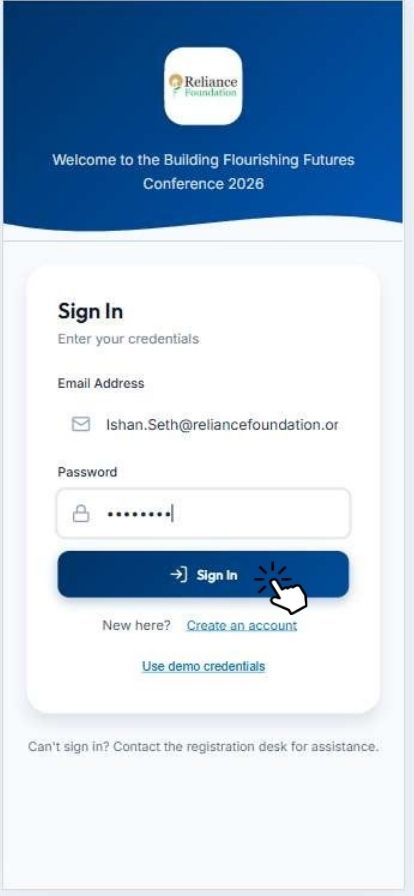
Sign In After Account Creation
-
Welcome to the Building Flourishing Futures Conference 2026
-
-
-
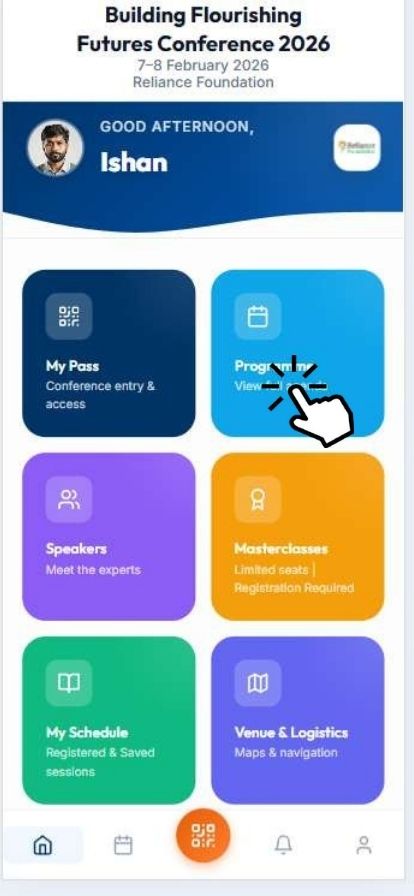
Click on Programme for more information
-
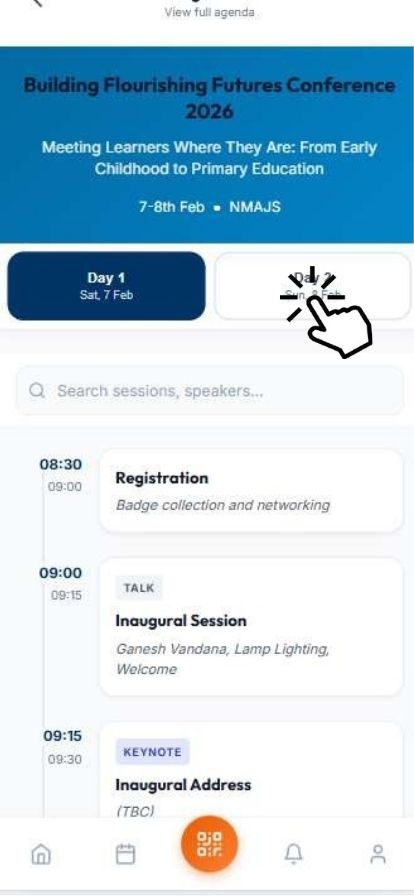
Day-wise Programmed Agenda
-
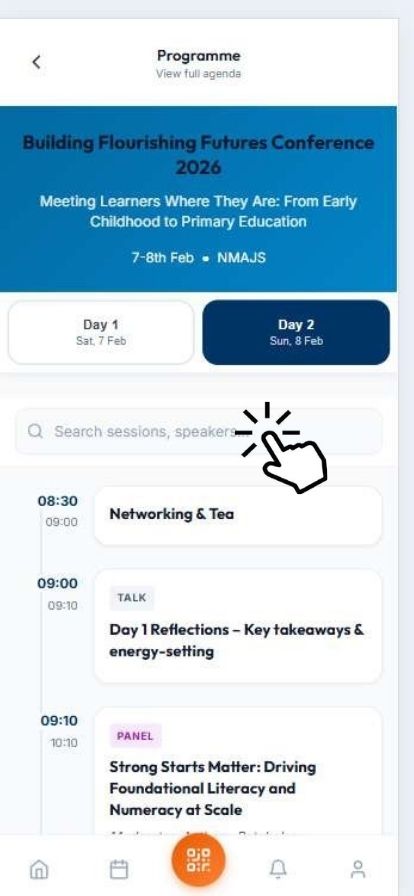
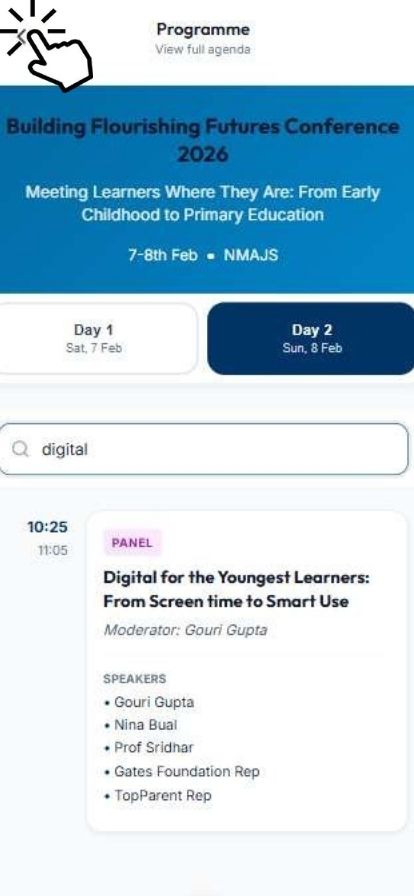
Click on the Search tab for Session & Speakers.
-
The searched item appeared
-
-
-
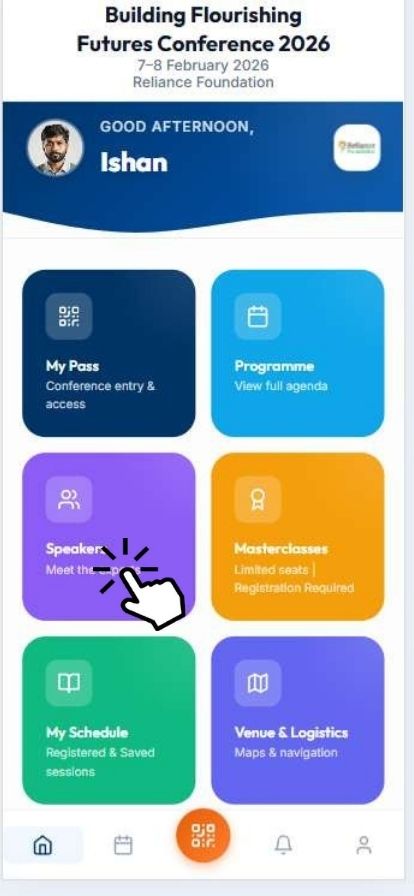
Click on Speakers to know your speakers
-
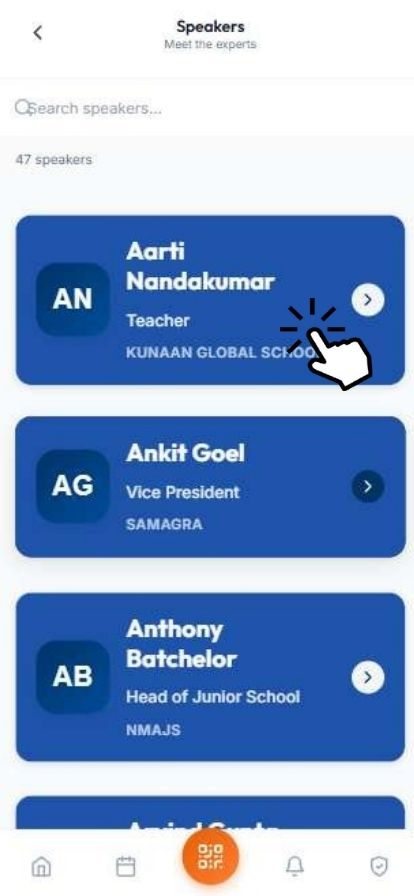
Select your speakers and get the Details
-
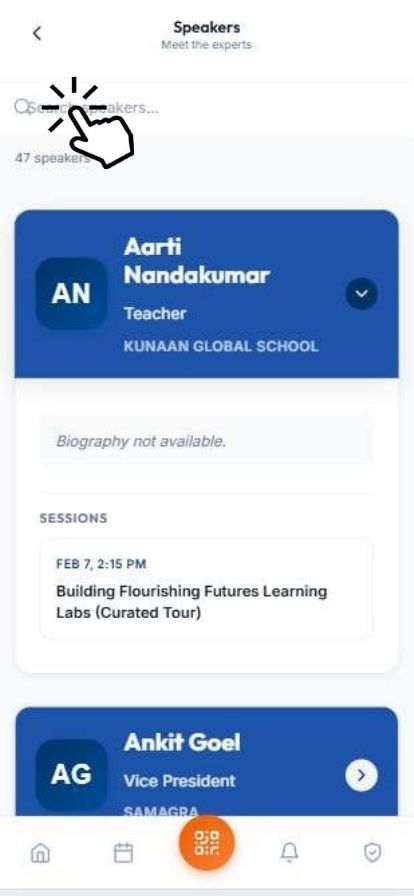
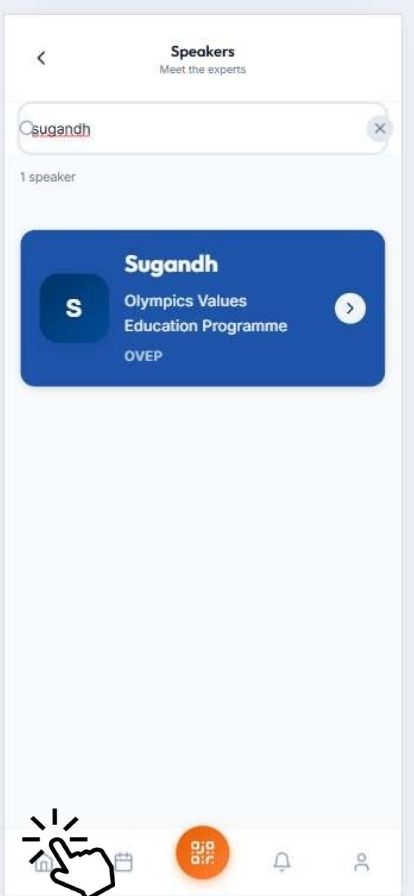
Click on the Search tab and find your speakers
-
Your speaker then clicks the home button at the bottom to return to the Dashboard.
-
-
-
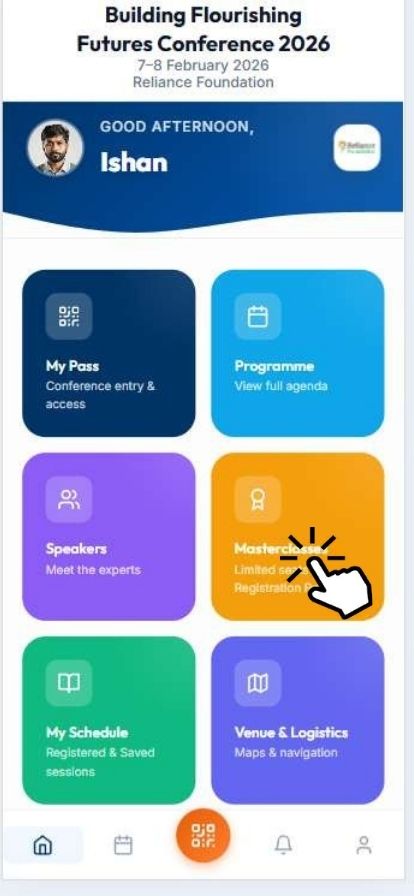
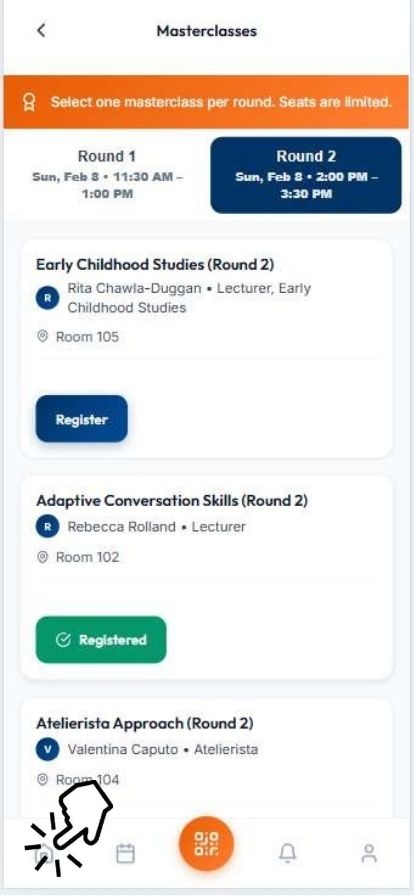
Click on Masterclasses Tab
-
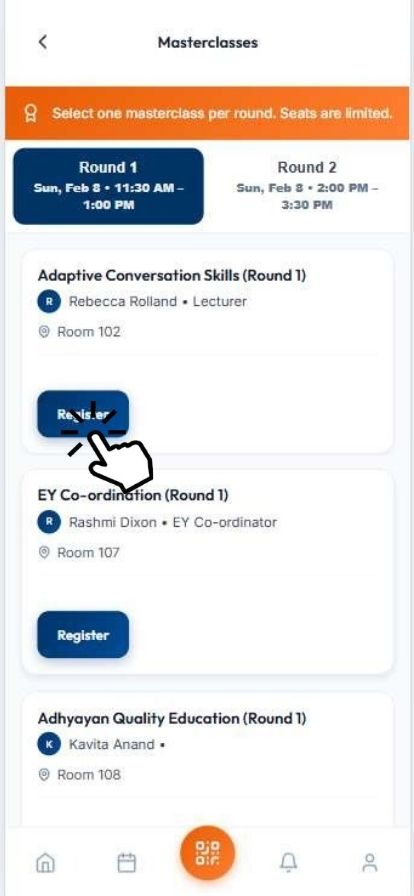
Inside the Masterclasses Round 1 & Round 2 Tab, click Round 1, then select your session and get registered yourself.
-
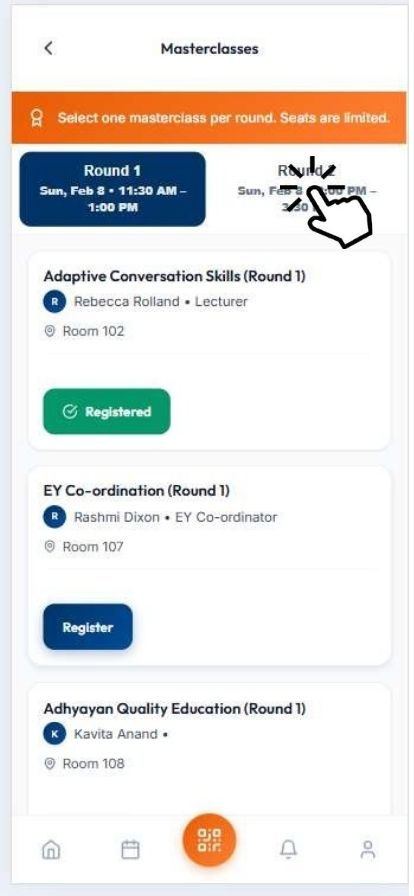
Inside the Masterclasses Round 1 & Round 2 Tab, click Round 2, then select your session and get registered yourself.
-
Click the Home Tab at the bottom to return Dashboard.
-
-
-
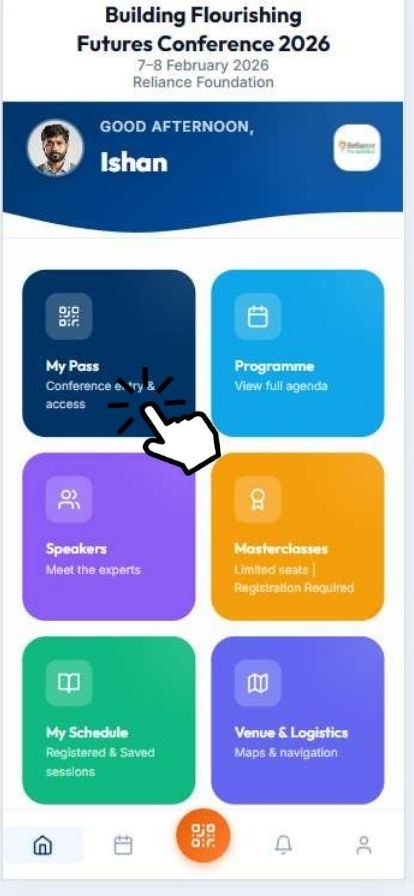
Click on My Pass for your Digital ID
-
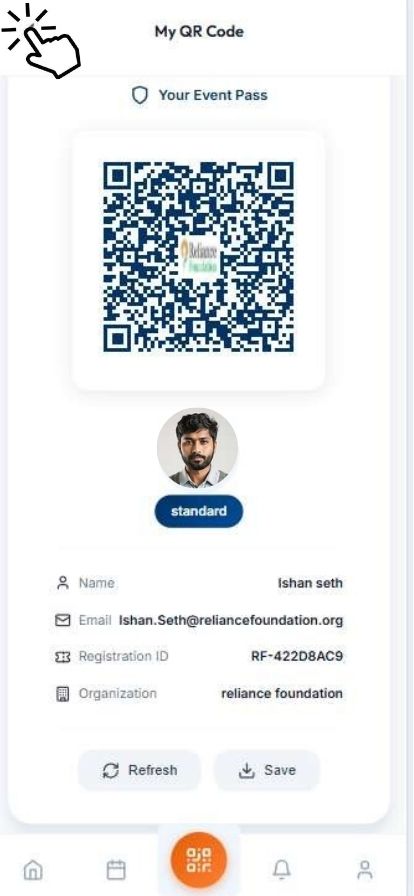
Your Conference Digital ID has been generated
-
-
-
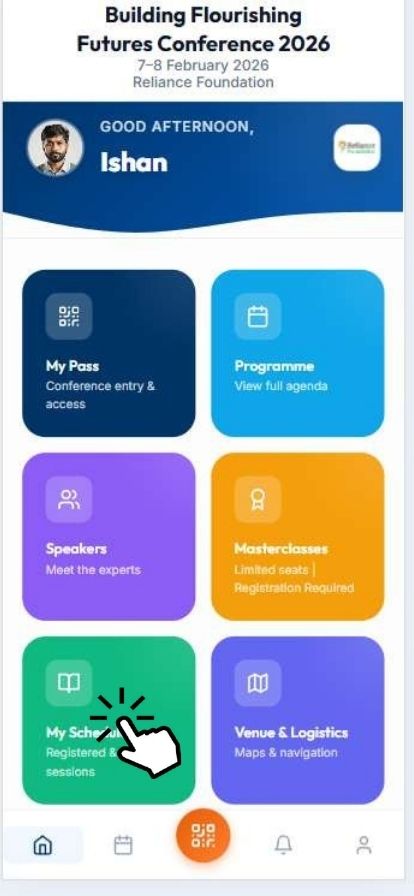
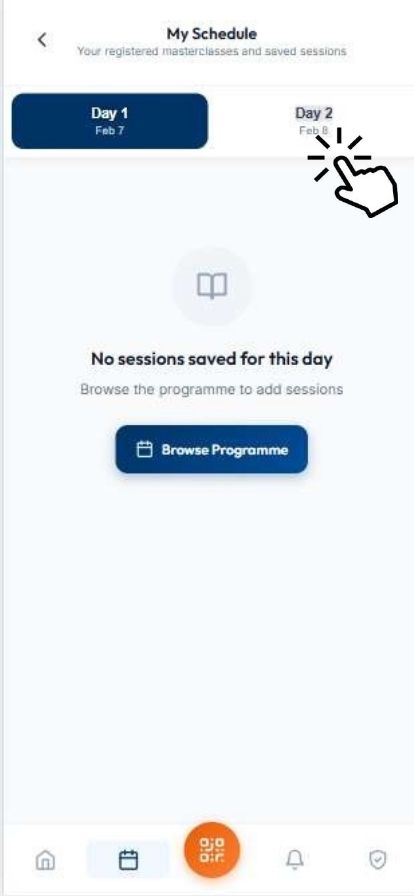
Click on the My Schedule Tab to know more about Schedules.
-
Click on the Day Wise Tab to know the Schedule
-
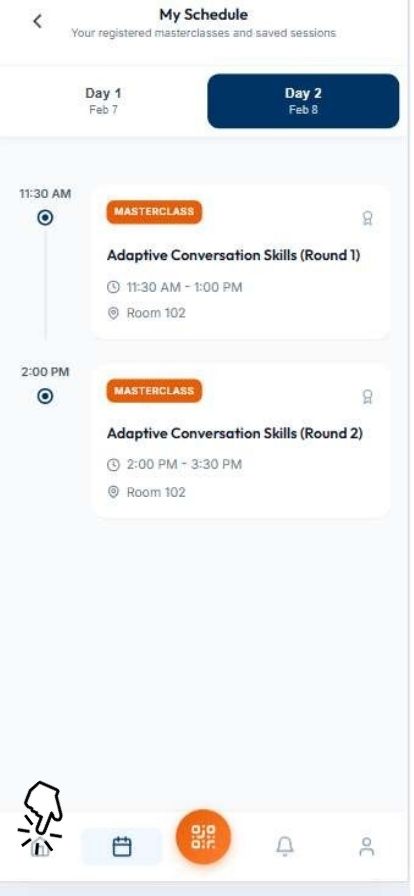
You will get the list of the schedule for the session.
-
-
-
Click on the
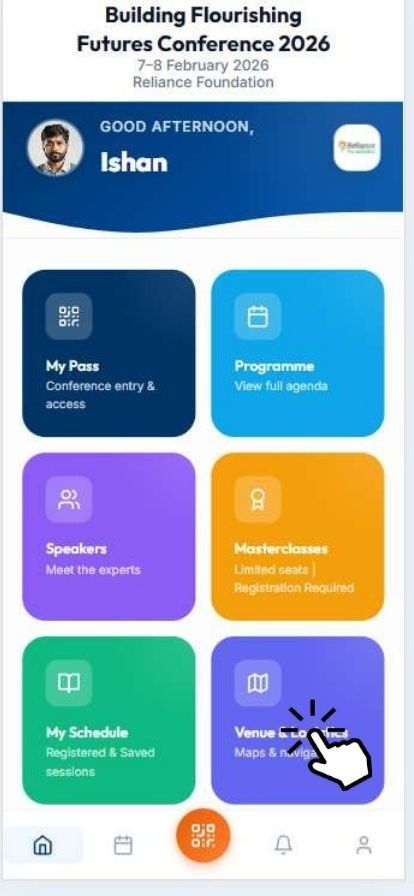 Venue & Logistics Tab
 -
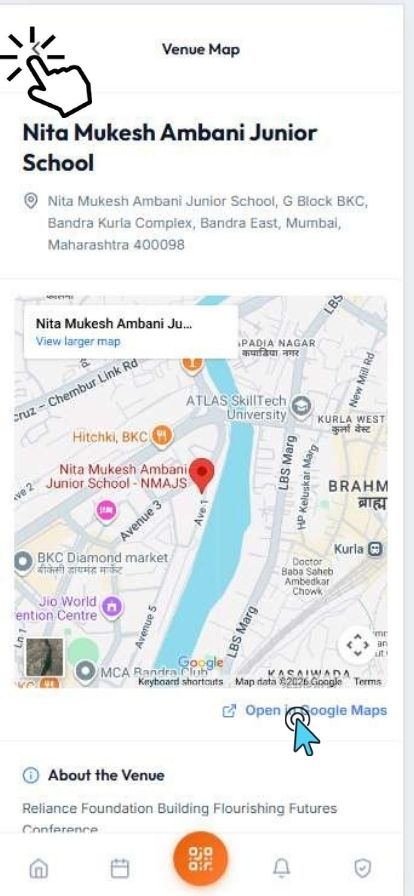
Inside the Venue & Logistics Tab, you will be able to see the Google map and then click on Open in Google Maps.
-
-
-
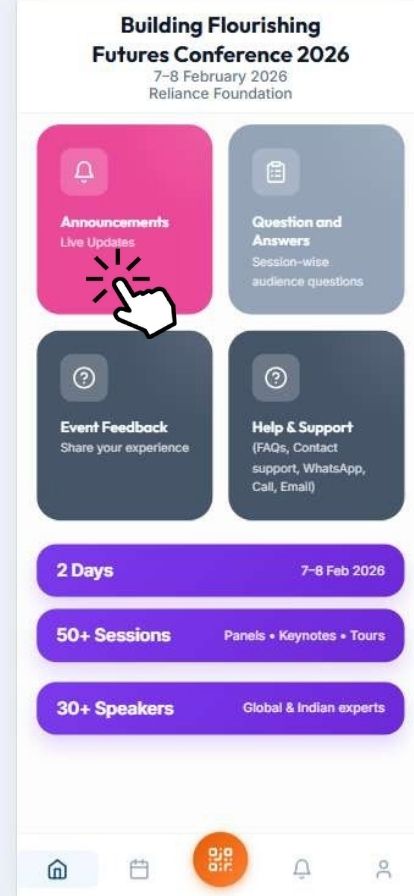
Click on Announcement for Live Updates
-
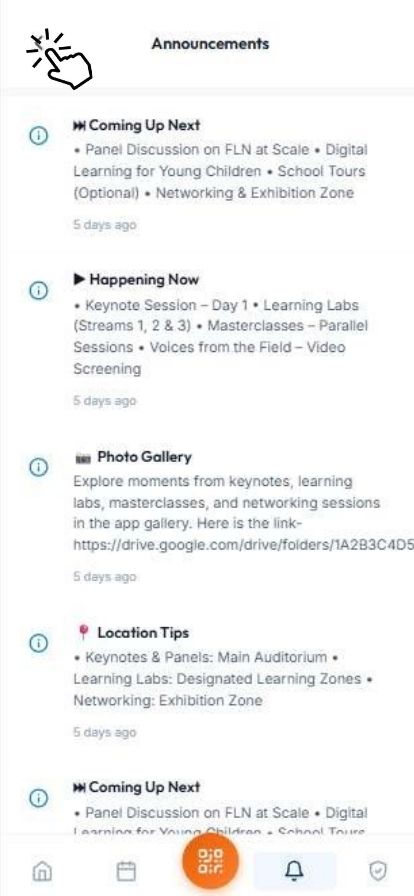
Your Live updates
-
-
-
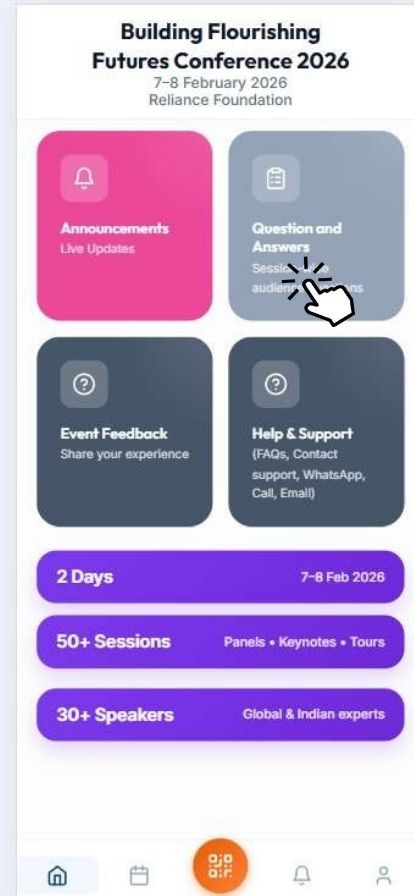
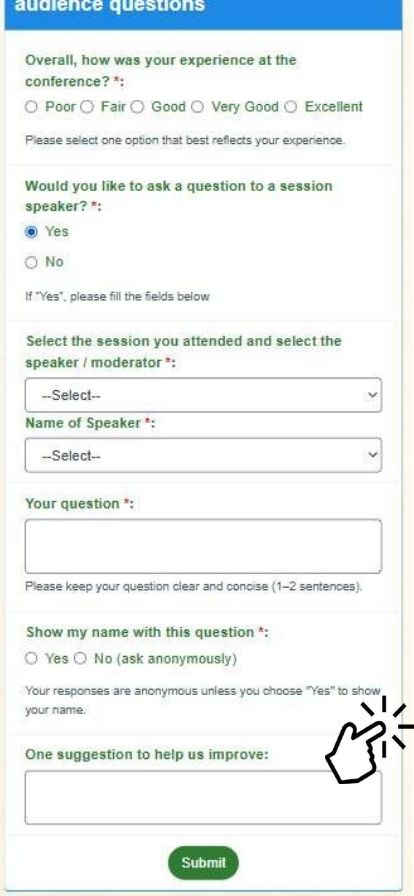
Click on the Question & Answer Tab
-
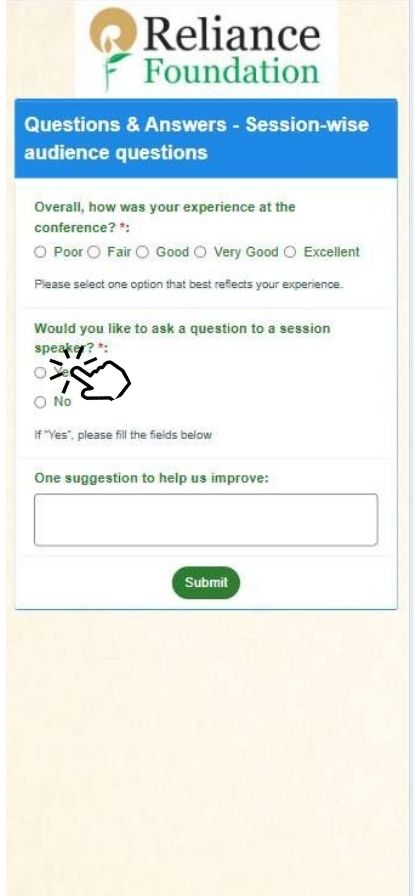
Session-wise audience questions will appear. Kindly provide your Answers
-
Click the Submit button.
-
-
-
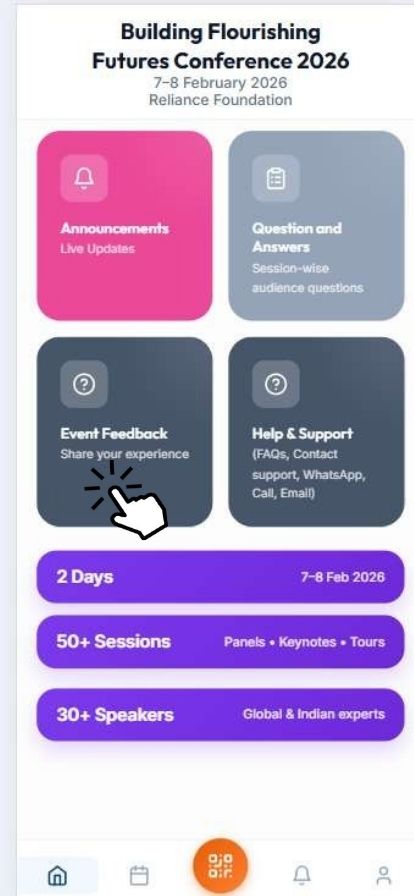
Click on Event Feedback
-
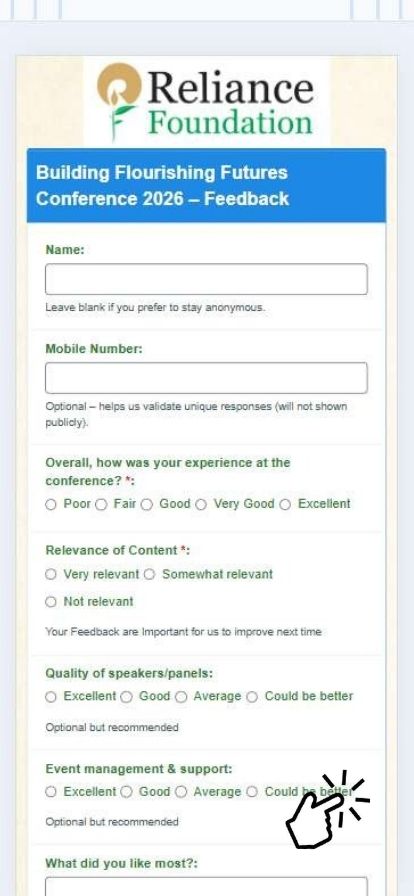
Provide your feedback
-
-
-
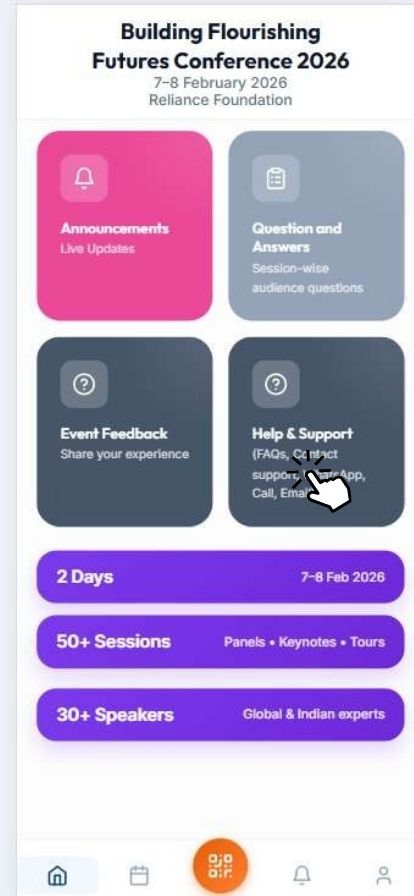
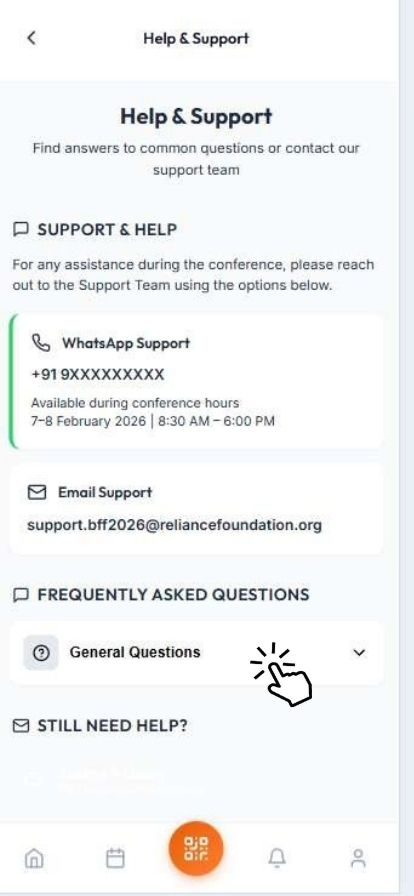
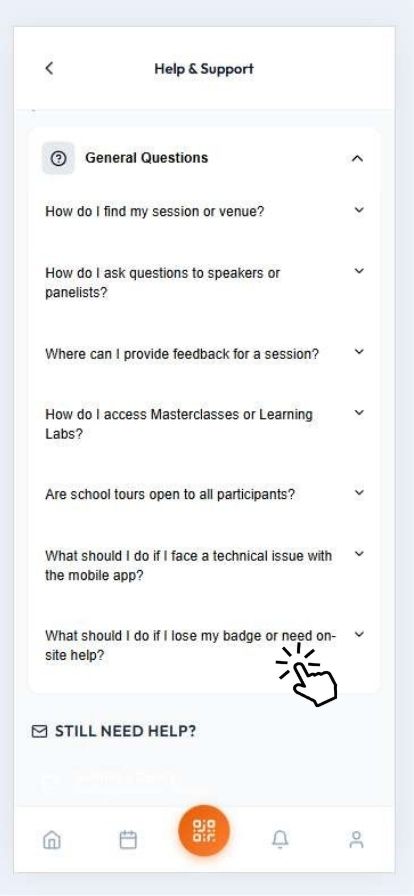
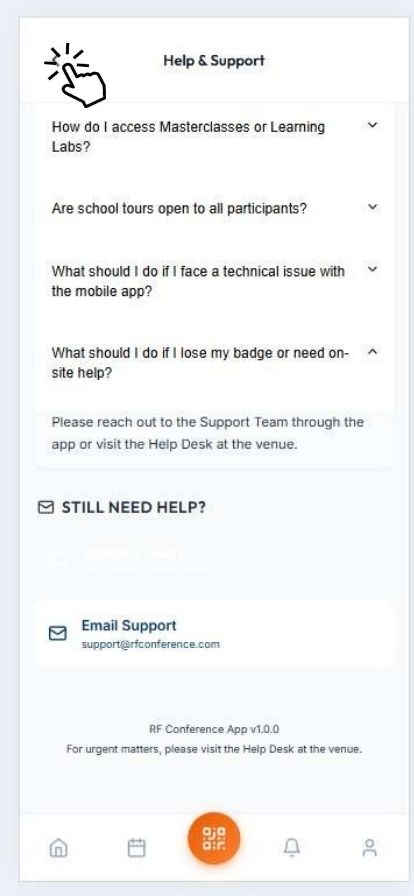
Click on Help & Support Tab
-
-
-
-
-
-
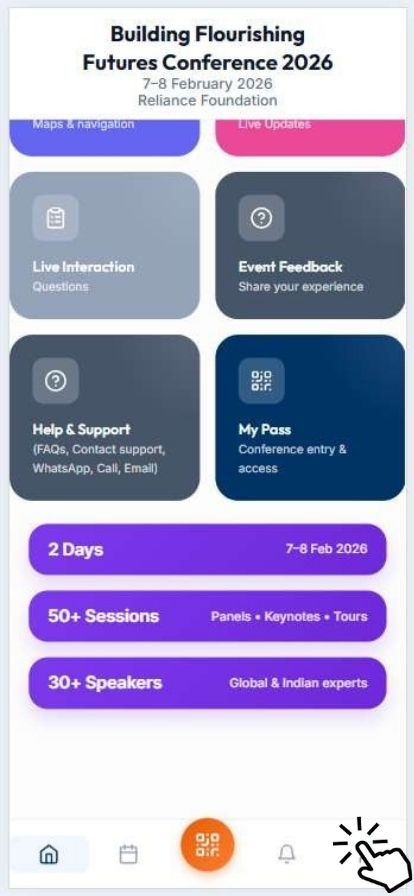
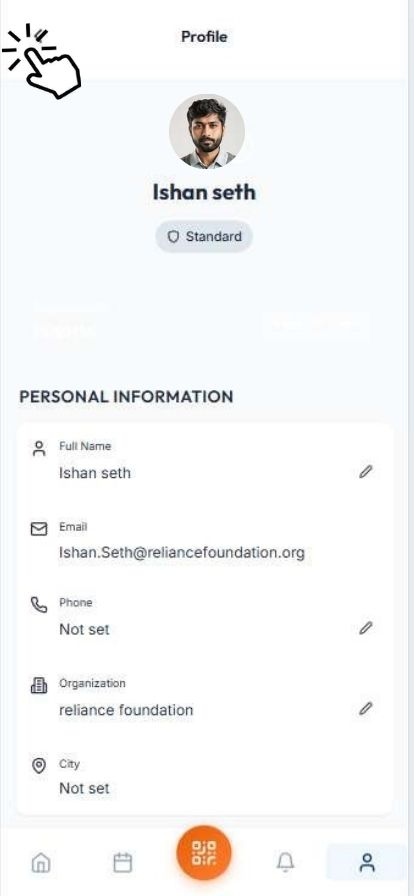
Click on Profile Icon at the Bottom
-
You will be able to see the candidate's profile.
-
-
-
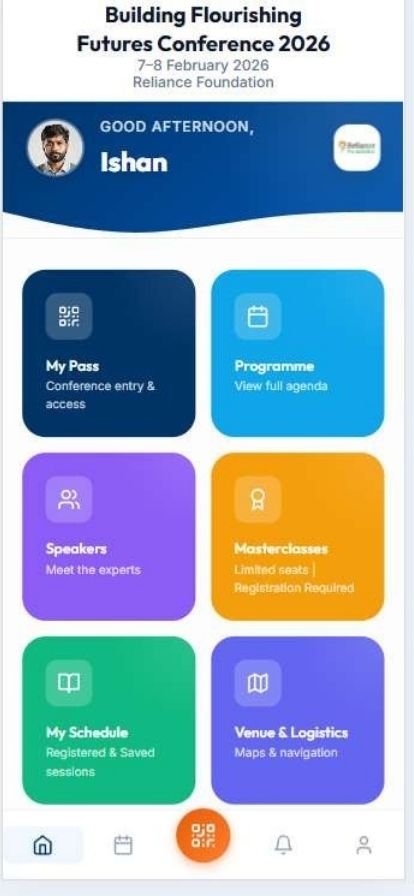
Click on the Home Tab at the Bottom to return to the candidate Dashboard.
-